
2026/2 - 2026/4
BeaverBuild
Financial Literacy Platform for Newcomer Students in 🇨🇦
Overview
Financial literacy resources in Canada are often fragmented and overwhelming, making it difficult for newcomer students to know where to start.
This project simplifies complex information into a structured and guided learning experience, helping students build financial confidence step by step.
My role
• Project lead & team coordination
• Secondary research & user interviews
• Turned insights → product direction
• Brand Design
• Design system & key feature design
• Usability testing & iteration
Team
Jennifer Jiang
Nhu Hua
Nathan Richards
Tran Khanh
Why This Problem?
Hey, have you ever tried to learn something important, but didn’t know where to start? 😵💫
I felt the same when I first came to Canada as an international student! 🙋🏻♀️
I had no idea how things like credit, taxes, or even basic budgeting worked here. These are things people usually pick up over time, but for newcomers, everything comes at once and it quickly becomes overwhelming.
I tried looking things up, but the information was everywhere. Government websites, banking tools, school resources… but nothing really told me where to begin. Most of the time, I ended up relying on other people’s experiences just to figure things out.
It left me wondering if others were facing the same confusion too.

??
How did we approach the problem?
To understand whether this was a shared experience, we looked into both existing resources and real user behaviors.
This process included:
Step #1 – Conducted secondary research
We started by exploring how students might currently learn about finances.
To do this, we looked into three main sources:
Digital platforms that provide financial information or guidance
Government websites and official resources
School-based resources available to students
Across these sources, we observed early patterns:
Digital platforms
Focus more on functionality than financial learning
Government resources
Contain extensive information but are difficult to navigate
School resources
(Humber College)
Resources exist, but awareness and engagement are low
Step #2 – Interviewed target users
We interviewed 4 international students from Humber, Seneca, and Sheridan College to understand their real experiences.
We asked about:
• Their first experience managing money in Canada
• Challenges with credit, taxes, and budgeting
• How they currently find financial information
Many participants shared that they felt overwhelmed in the beginning and often relied on advice from others rather than official resources.

from China
“ I vaguely know that some resources exist, but I’m not clear on what they are. ”

from Bangladesh
“ I usually use Google, Reddit, or YouTube. I trust lived experience more than official explanations. ”

from Vietnam
“ For academic project, if I spend $500 on flowers for this event in March, how does that affect my rent in April? ”

from Ghana
“ General tools don’t explain things enough. They think you already understand how the system works. ”
Step #3 – Synthesized gaps and key insights
We combined findings from secondary research and user interviews to identify key gaps in the current experience.
Although financial information exists across multiple sources, it is often not designed to support how newcomers actually learn.
Key gaps
• Financial resources are scattered across different channels
• Existing tools focus on utility rather than learning
• Limited resources are designed specifically for newcomer students
• Content is often text-heavy and lacks guidance or pacing
Key Insight
The problem isn’t access to information.
It’s knowing where to start and how to learn from it.
Ideation
From our research, it became clear that the challenge wasn’t just about providing information, but how to make it easier to learn and navigate.
We explored 1. video content / 2. a gamified app / 3. a website.
Why a website?
We chose a website because it is the most accessible way to get started.
No downloads, no barriers, just immediate access.
It also allows us to structure complex information clearly, while still giving users the freedom to explore.
Information Architecture
Based on the research insights, we focused on restructuring how financial information is organized and accessed.
Instead of a flat and scattered experience, we designed a system that supports both guided learning and self-exploration.
The platform is structured into five key sections:
• Financial Roadmap
• Knowledge Hub
• Community
• Tools
• About Us
Each section supports a different aspect of financial learning, from structured guidance to independent exploration and peer-based learning.
Information Architecture
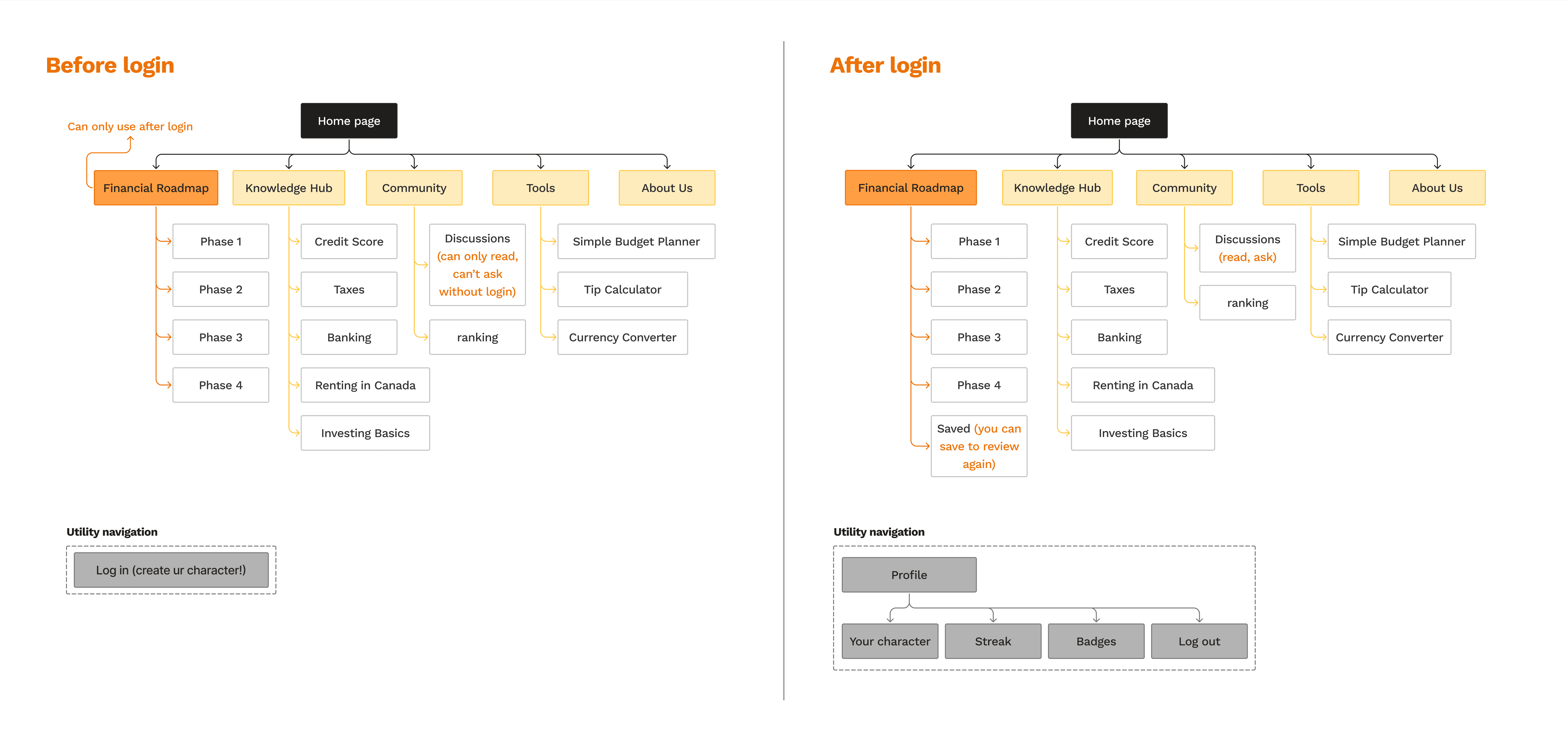
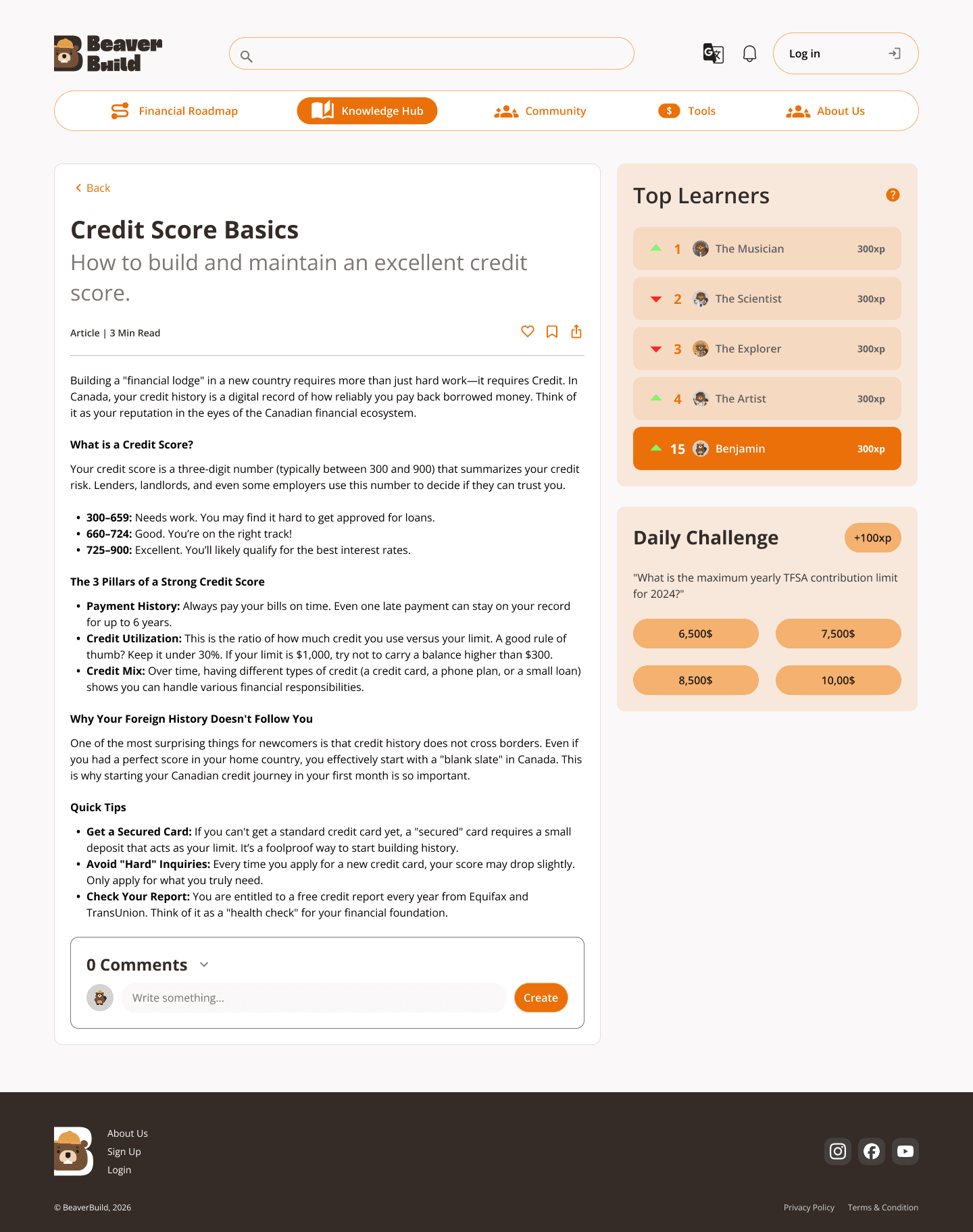
We also introduced two different experiences for guests and logged-in users.
• Guests can browse content to understand the platform and explore resources
• Logged-in users unlock personalized features such as financial roadmap, progress tracking, saved content, and full participation in the community
This allows users to start freely, while encouraging deeper engagement over time.
Low-Fi Wireframes
We translated the information architecture into low-fidelity wireframes to visualize structure and user flow.
Design System
I created the design system and layout guidelines to maintain consistency and improve readability across the platform.
Inspired by how beavers prepare for winter, the experience helps users gradually build their financial foundation in Canada over time.
High-Fidelity Prototype (Initial)
This version represents the initial design direction before usability testing.
Feature 2 —
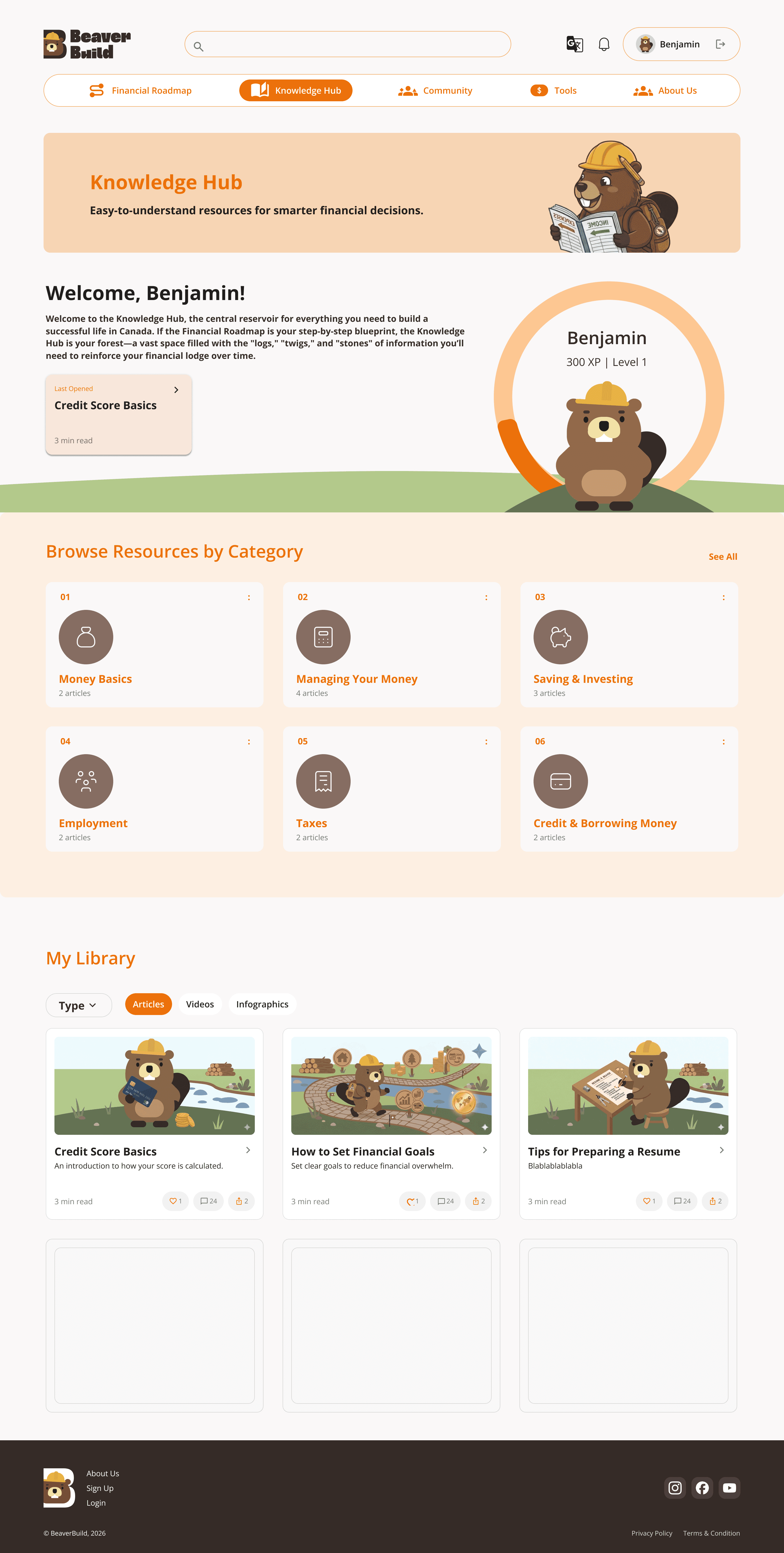
Knowledge Hub
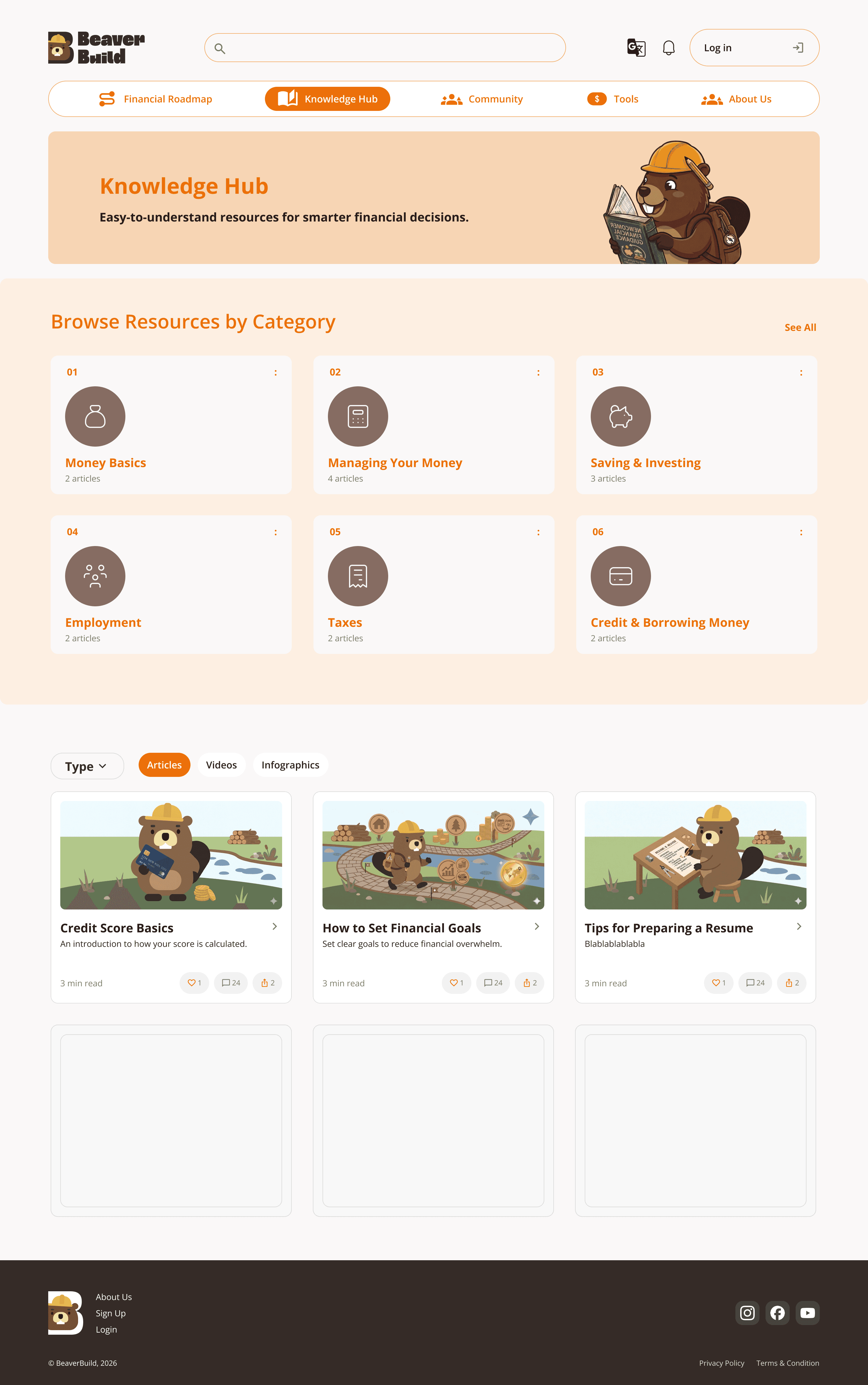
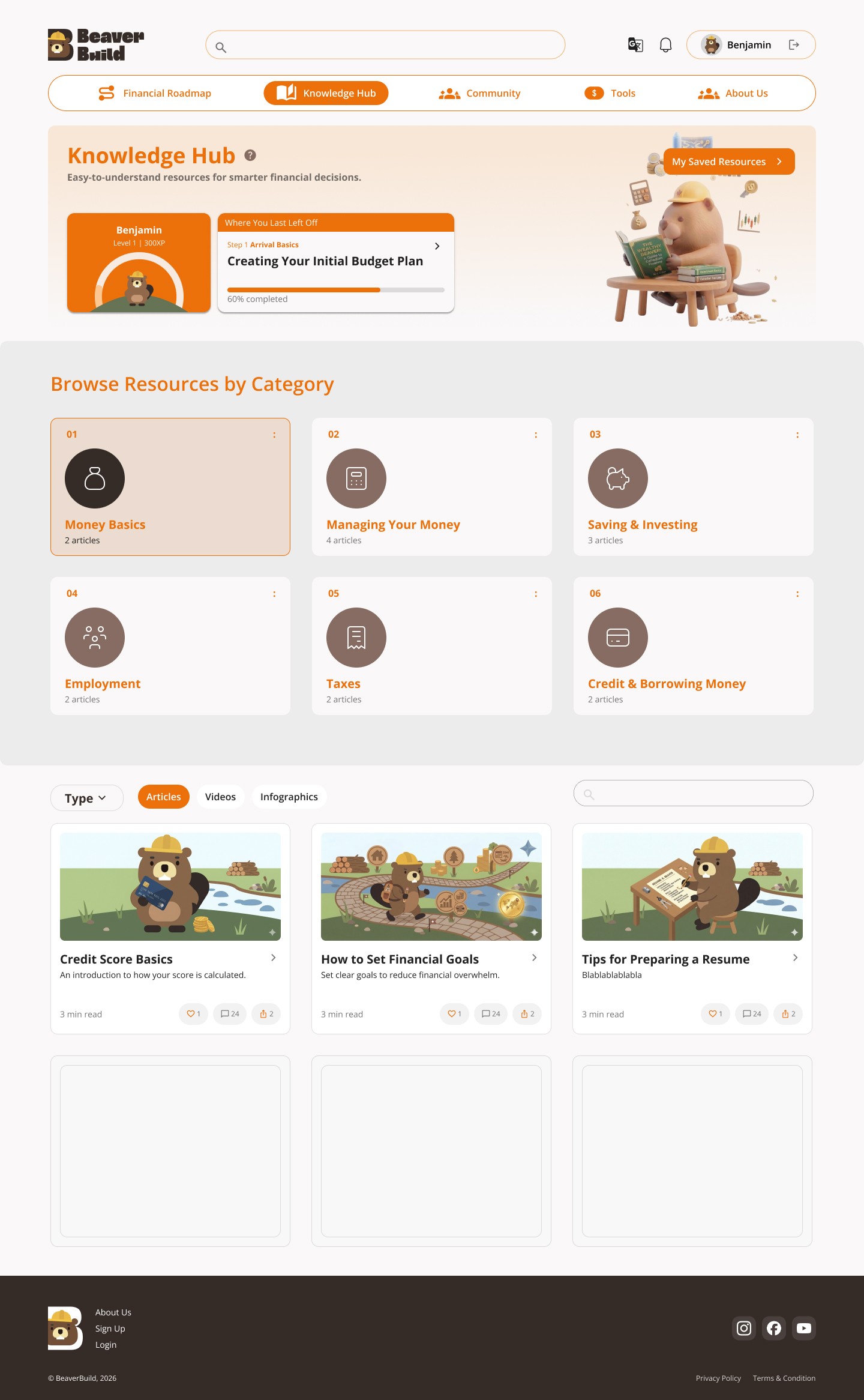
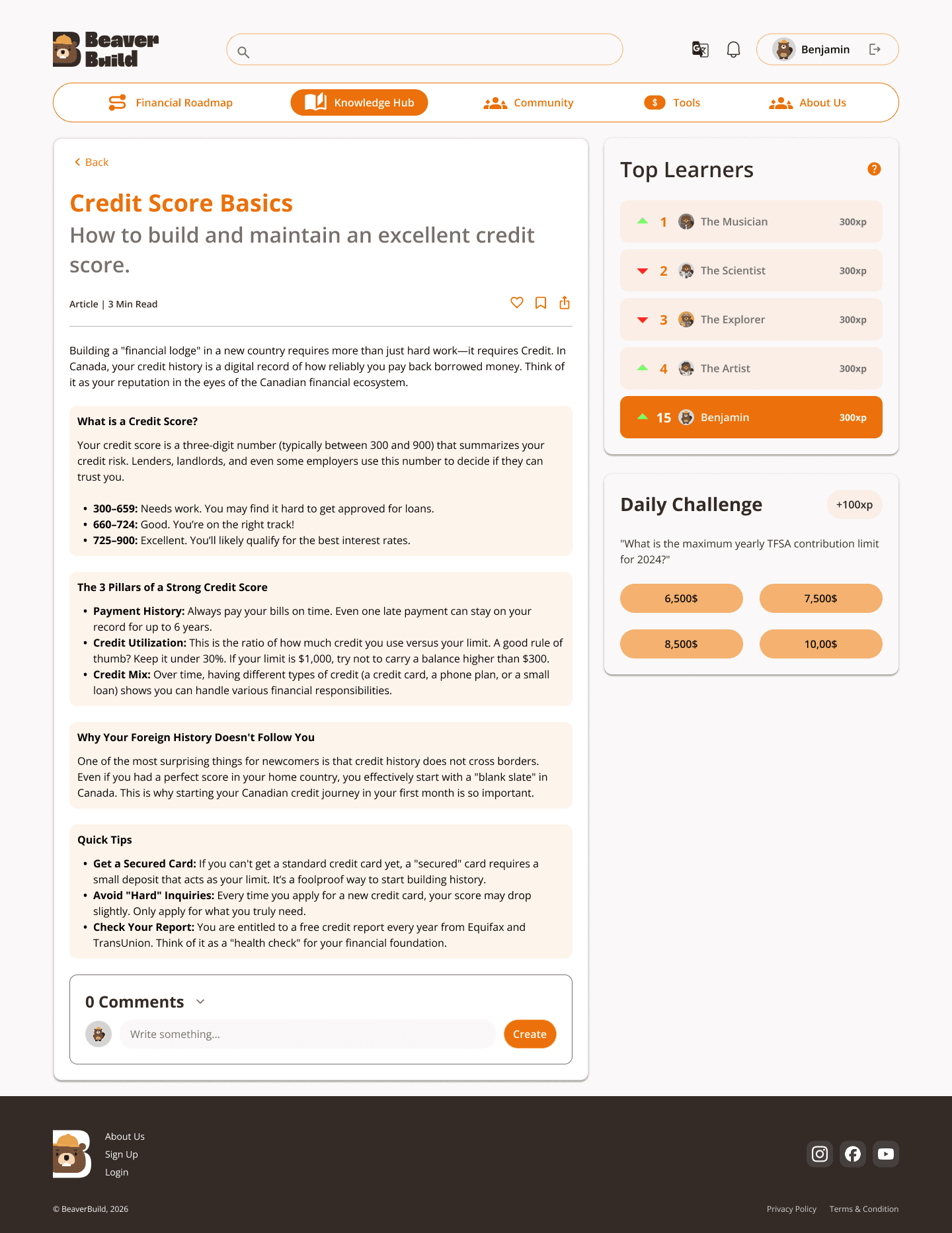
The Knowledge Hub organizes financial topics into clear categories, making it easier for users to find relevant information.
Content is simplified and structured to improve readability, helping users quickly understand key concepts without feeling overwhelmed.
Feature 1 —
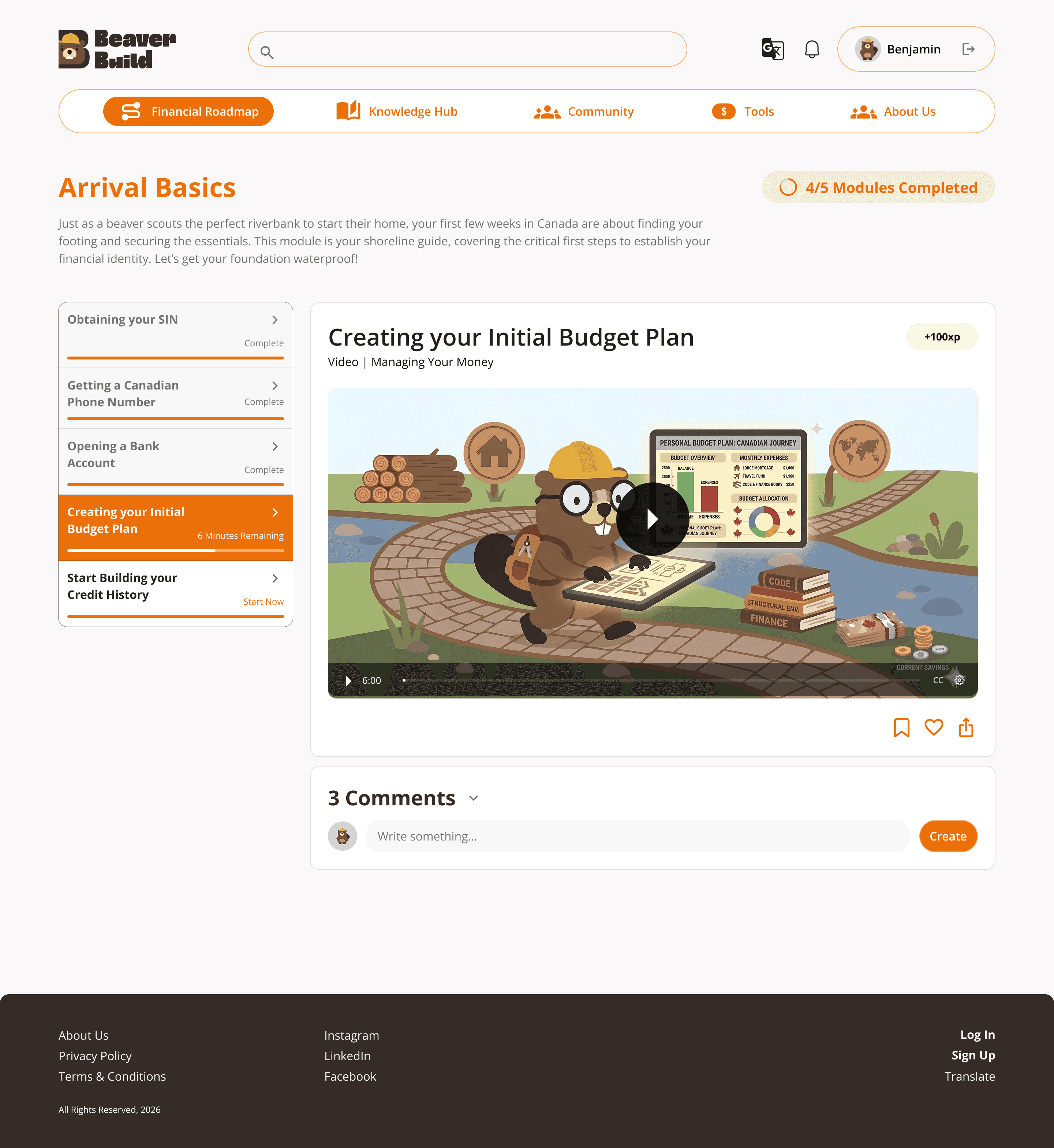
Financial Roadmap
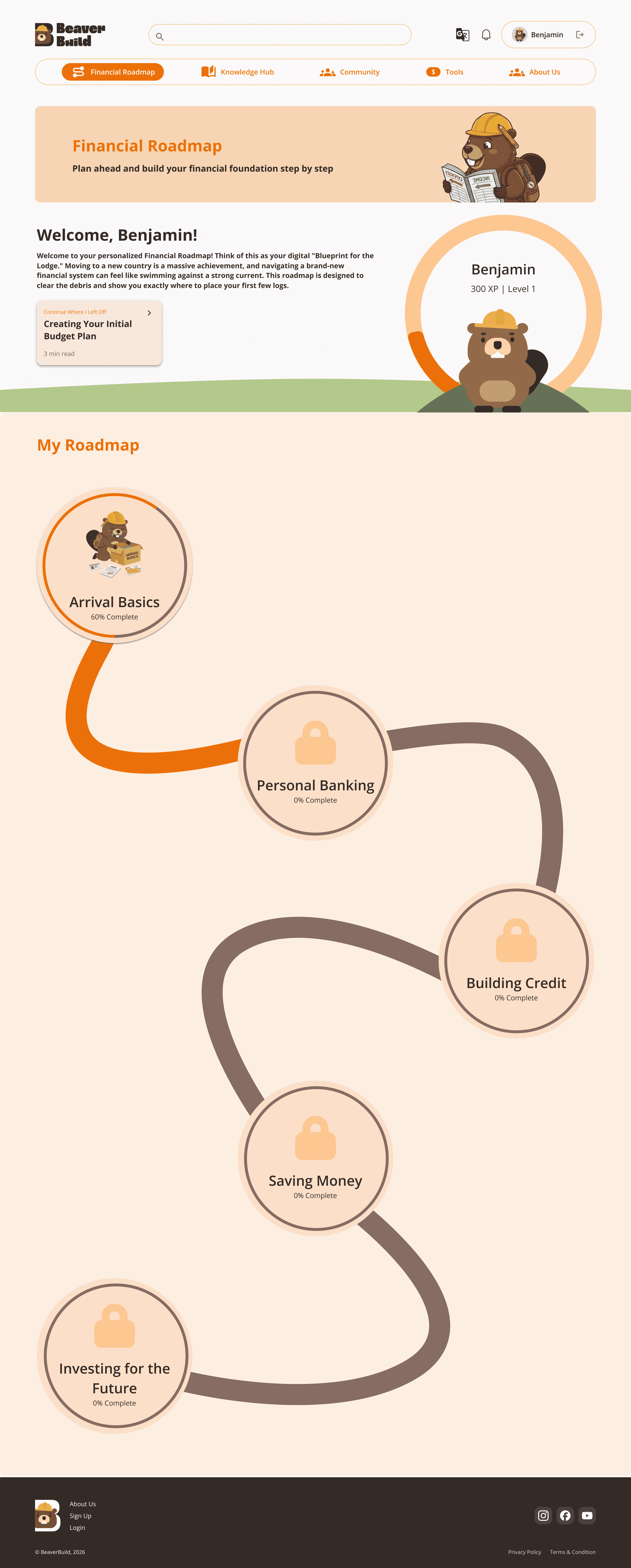
To address the lack of guidance, we introduced a structured roadmap that helps users understand where to start and what to do next.
Content is organized into time-based stages, such as the first 7 days, 30 days, and beyond, making the learning process more manageable.
This allows newcomers to build knowledge progressively, instead of being overwhelmed all at once.
Feature 0 —
Homepage(Guest Experience)
The homepage is designed as an entry point for new users, acting as a lightweight introduction to the platform.
Instead of overwhelming users with information, it focuses on communicating the value of the product and encouraging users to get started.
Key actions such as creating an account are clearly highlighted, allowing users to quickly transition into a more structured experience.
Feature 4 —
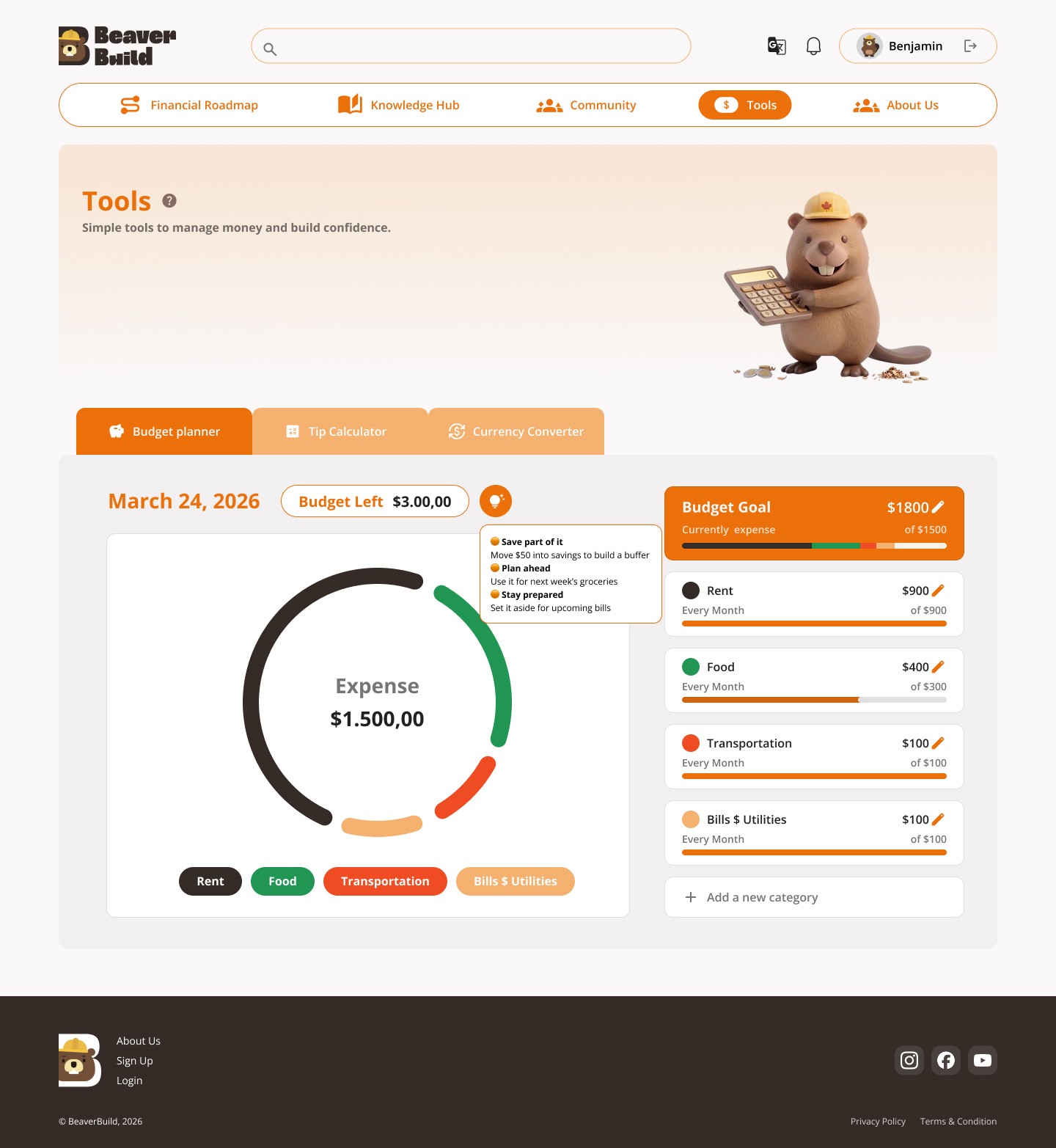
Tools
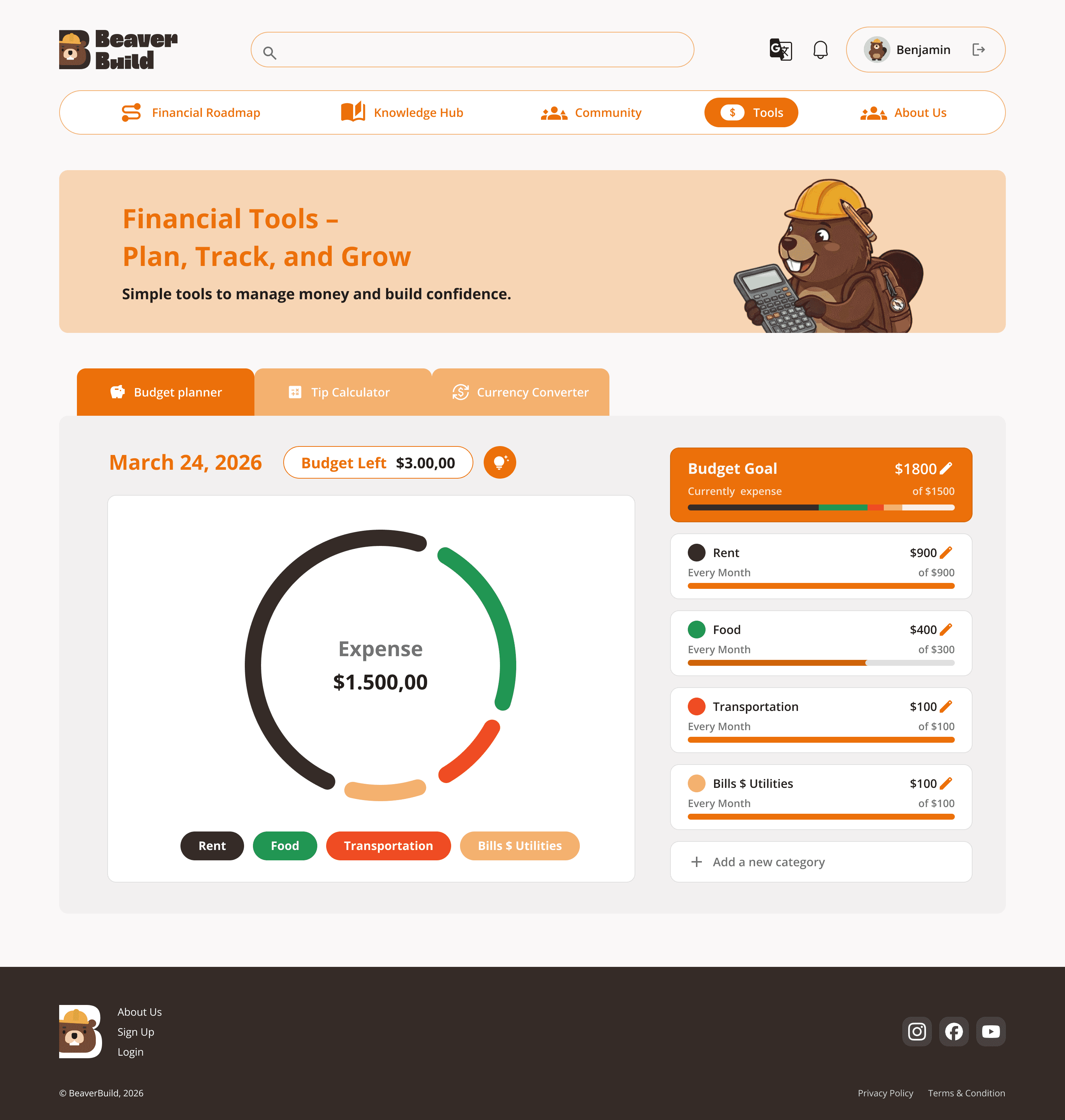
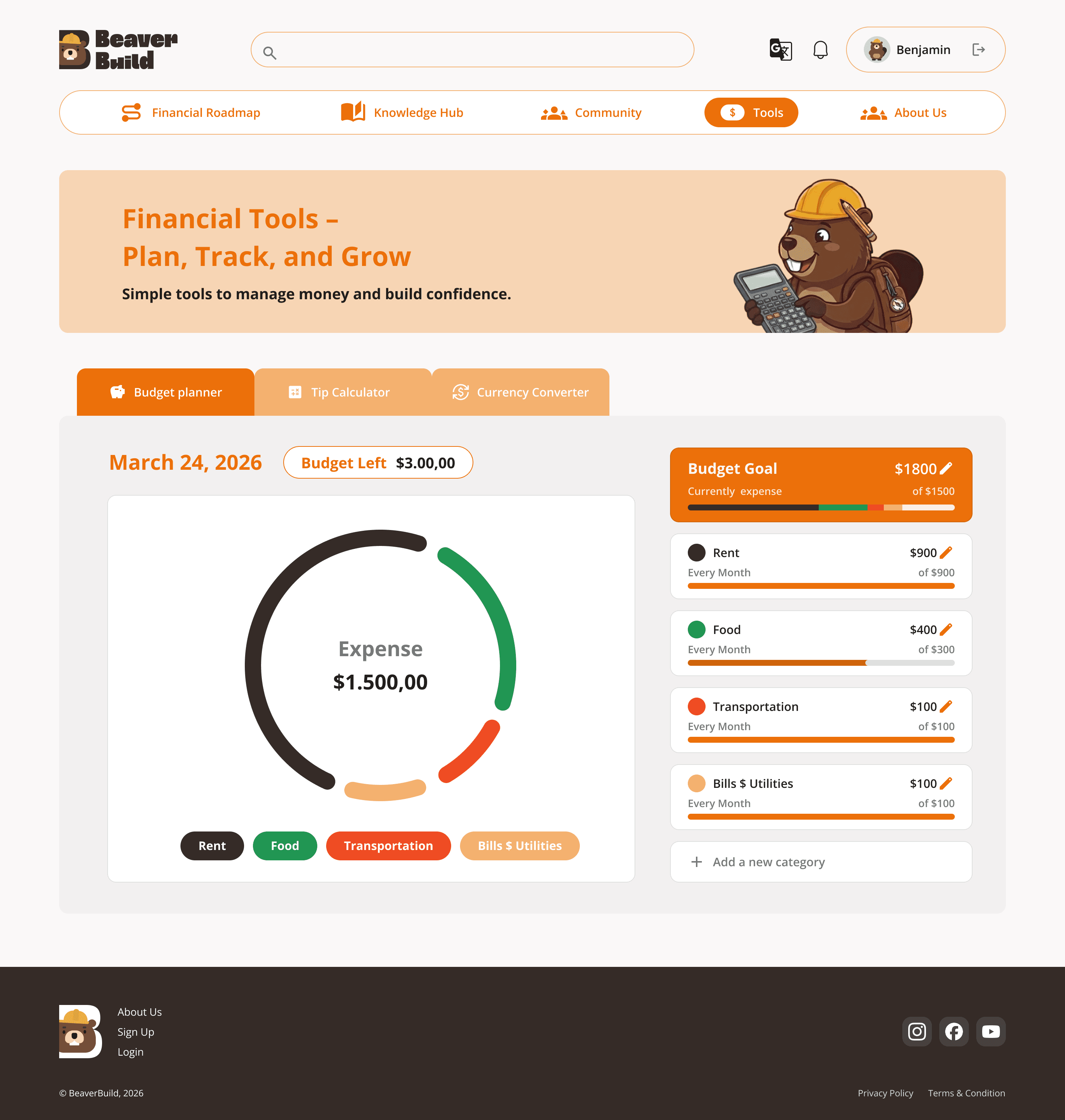
Instead of standalone utility tools, we integrated tools as part of the learning experience.
This allows users to apply what they learn immediately, reinforcing understanding through action.
Feature 3 —
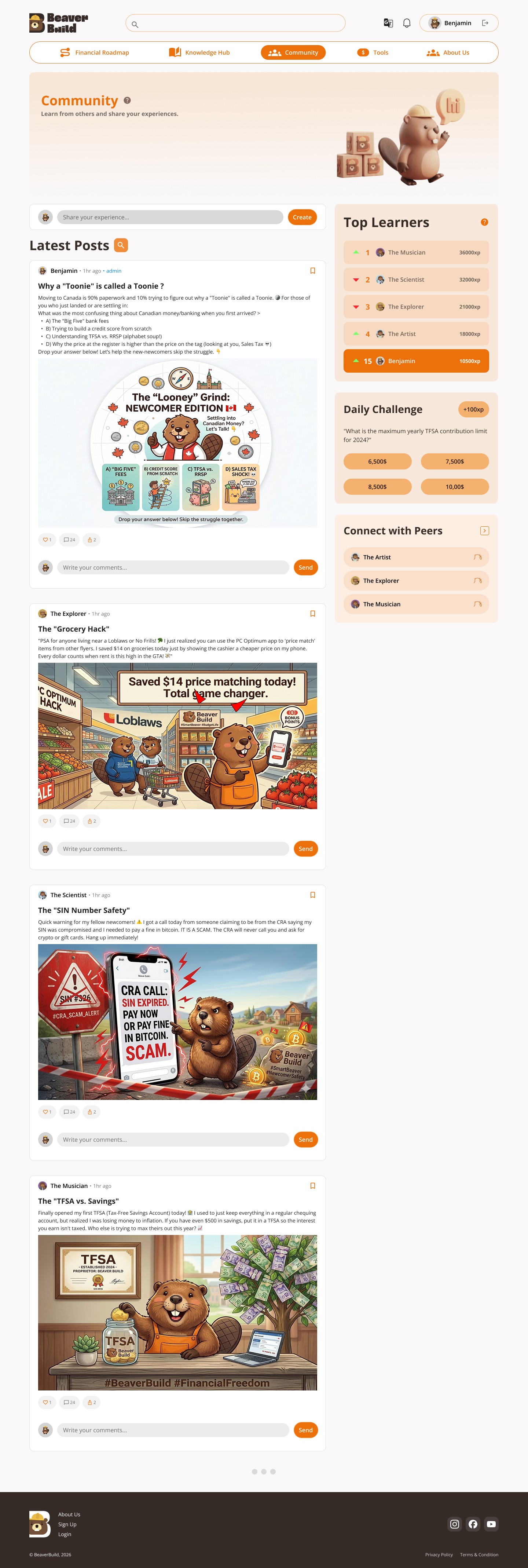
Community
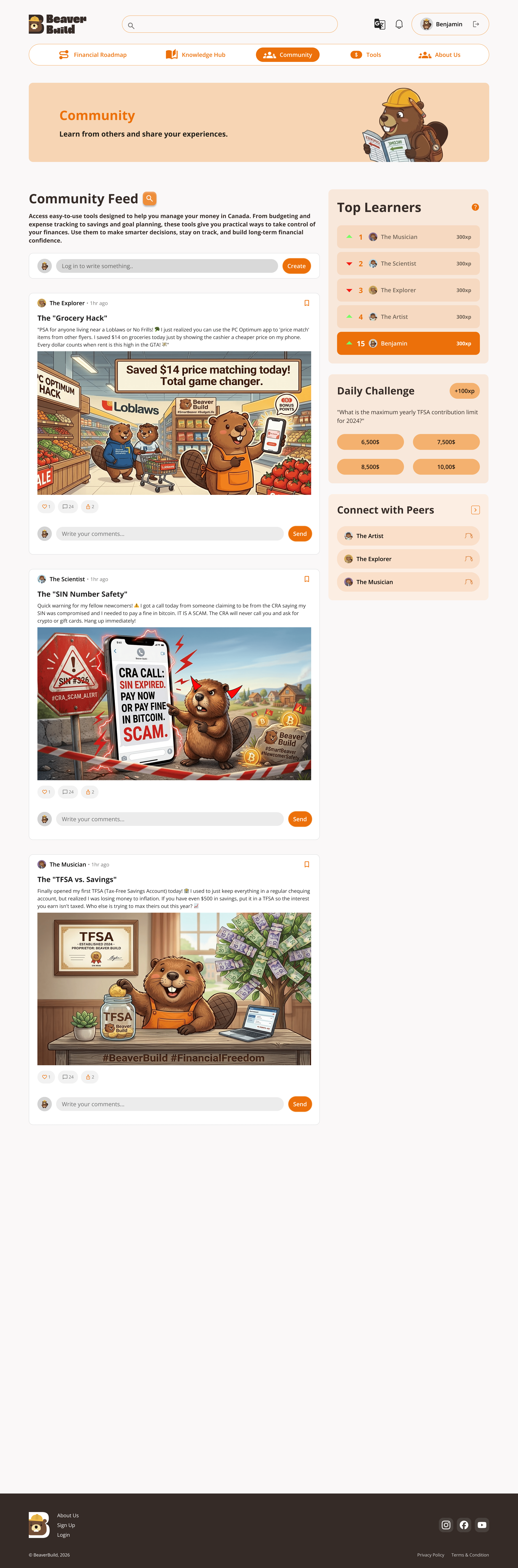
The Community feature provides access to real experiences from other users.
Since many participants rely on peer advice, this creates a space for users to learn from others while staying within the platform.
Supporting Features —
Profile
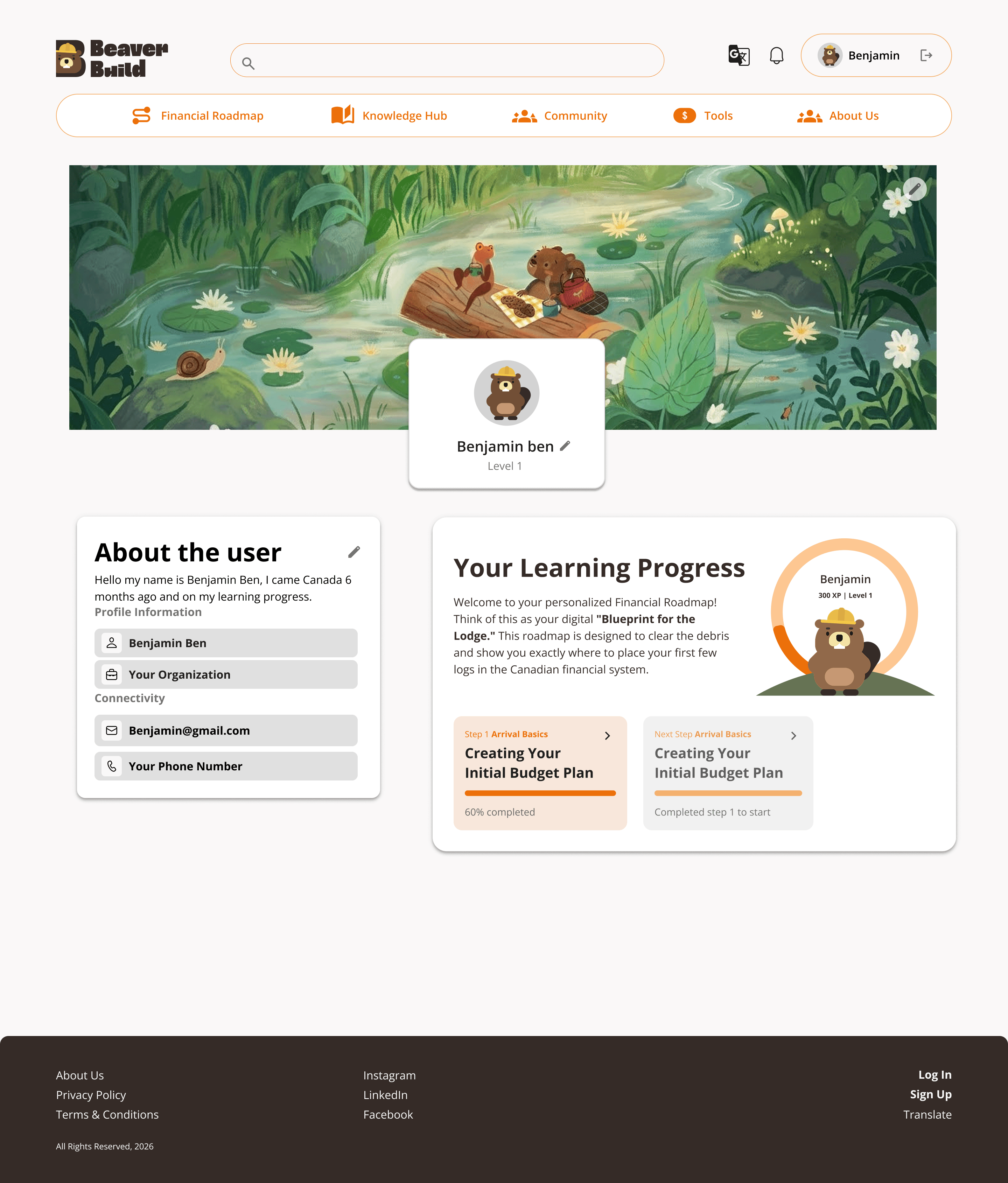
The profile page allows users to track their progress and manage saved content, supporting a more personalized learning experience.
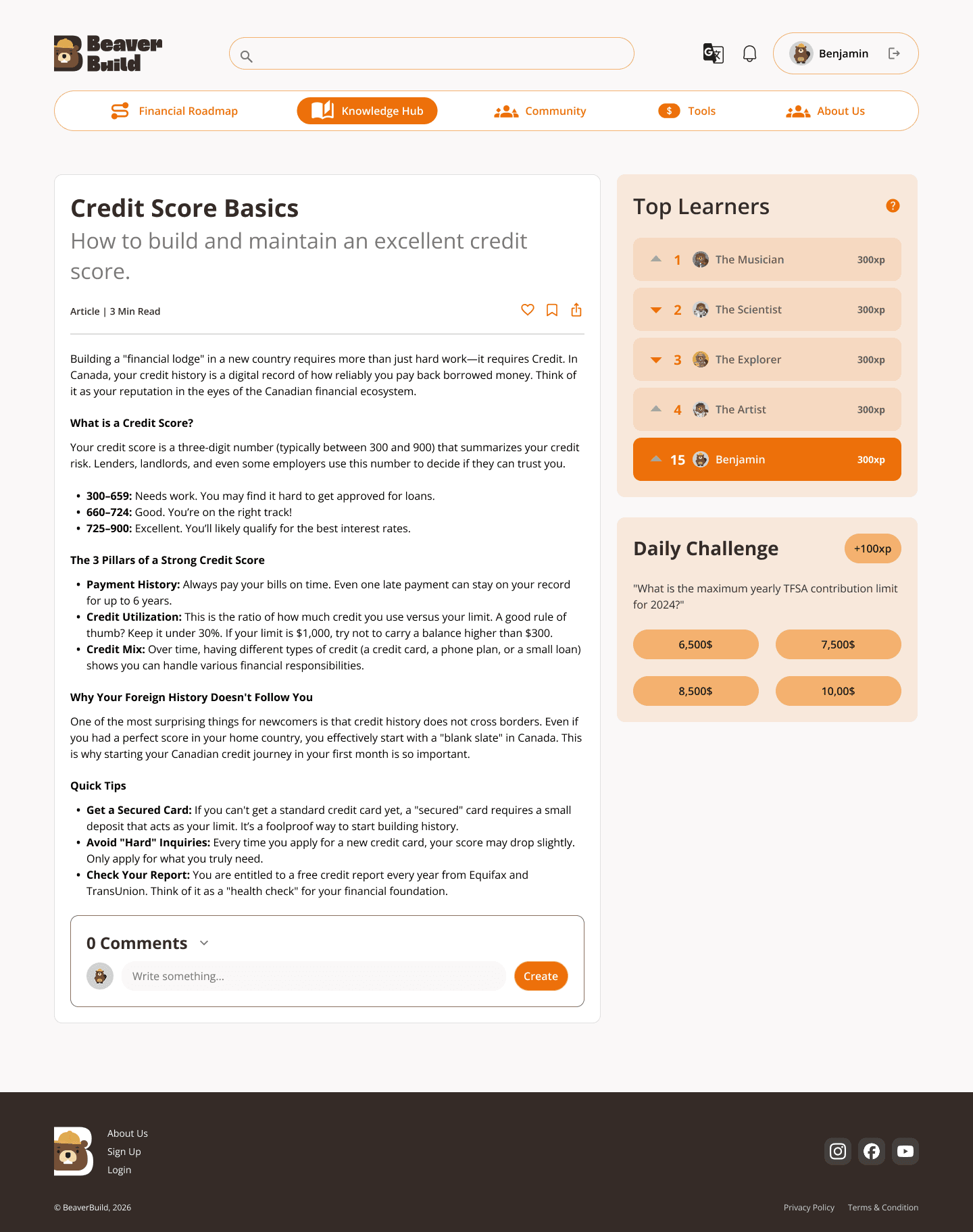

Drag to check details
Usability Testing
We conducted usability testing with 5 international students, aligning with our target audience.
Participants were asked to complete key tasks, including:
• Creating an account
• Exploring the Financial Roadmap
• Finding information in the Knowledge Hub
• Exploring Community
• Select a tool
We focused on how easily users could understand where to start, navigate between sections, and complete tasks without confusion.
Key Observations by Task 👀
Sign Up
Users found multiple entry points to registration slightly confusing.
Some also felt unsure when selecting their stage, as they didn’t know whether they were “settled” enough to choose the right option.
Exploring the Financial Roadmap
Users expected more guidance when navigating the roadmap.
While videos were available, some users wanted a brief explanation of what each section covers before engaging. Certain terms, such as SIN, were unfamiliar and caused confusion.
Finding an article in the Knowledge Hub
Some category labels were unclear, making it harder for users to quickly understand where to find relevant information.
Exploring the Community
Users were uncertain about their willingness to actively post or engage.
This raised questions about how to encourage participation and build a sense of trust within the community.
Select a Tool
The tools feature was well received.
Users found it practical and engaging, and some suggested adding recommendations, such as how to use remaining budget more effectively.
Overall Insights 🔥
All participants were able to complete the tasks successfully.
However, the testing revealed a consistent need for clearer guidance and better content framing, especially for users who are unfamiliar with financial concepts in Canada.
This aligns with our earlier research findings that the main challenge is not access to information, but how to understand and navigate it.
Design Direction 🎯
Based on these findings, we focused on improving clarity, adding lightweight guidance, and refining content structure across the platform.
We also explored ways to better integrate branding elements to make the experience feel more approachable and engaging.
Design Iteration
Based on usability testing, we refined the design to improve clarity, guidance, and overall usability.
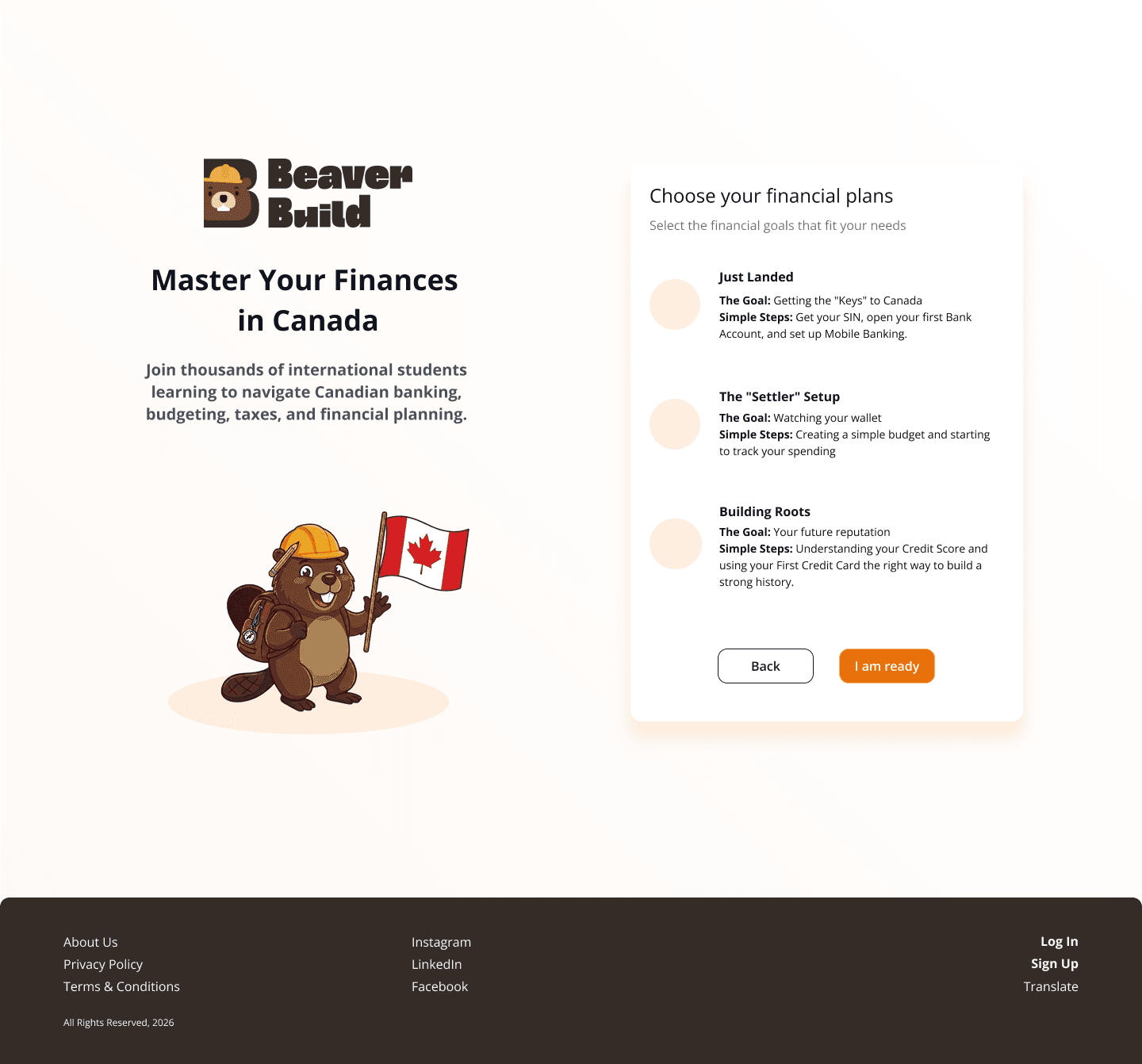
Feature 0 —
Homepage(Guest Experience)
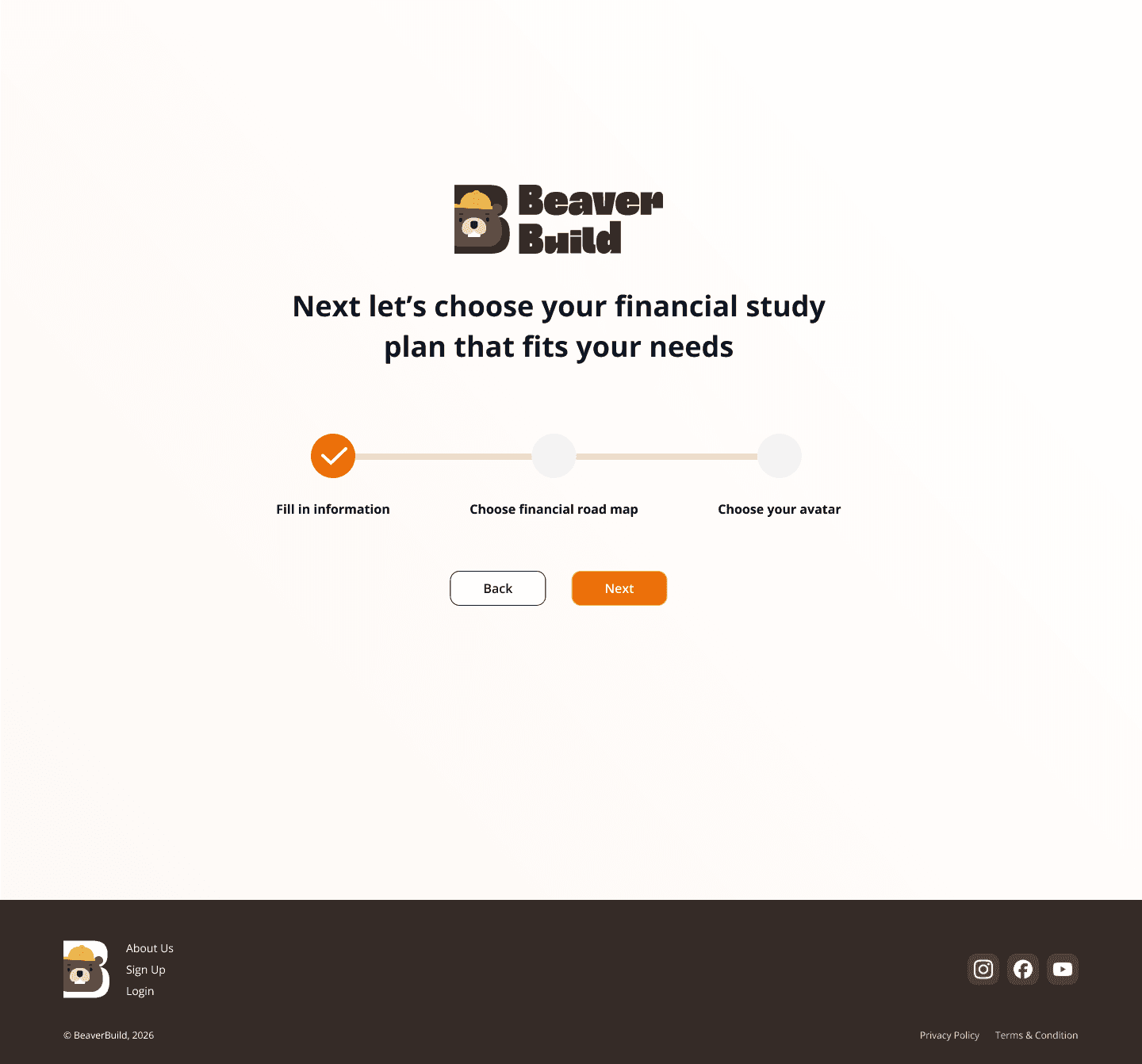
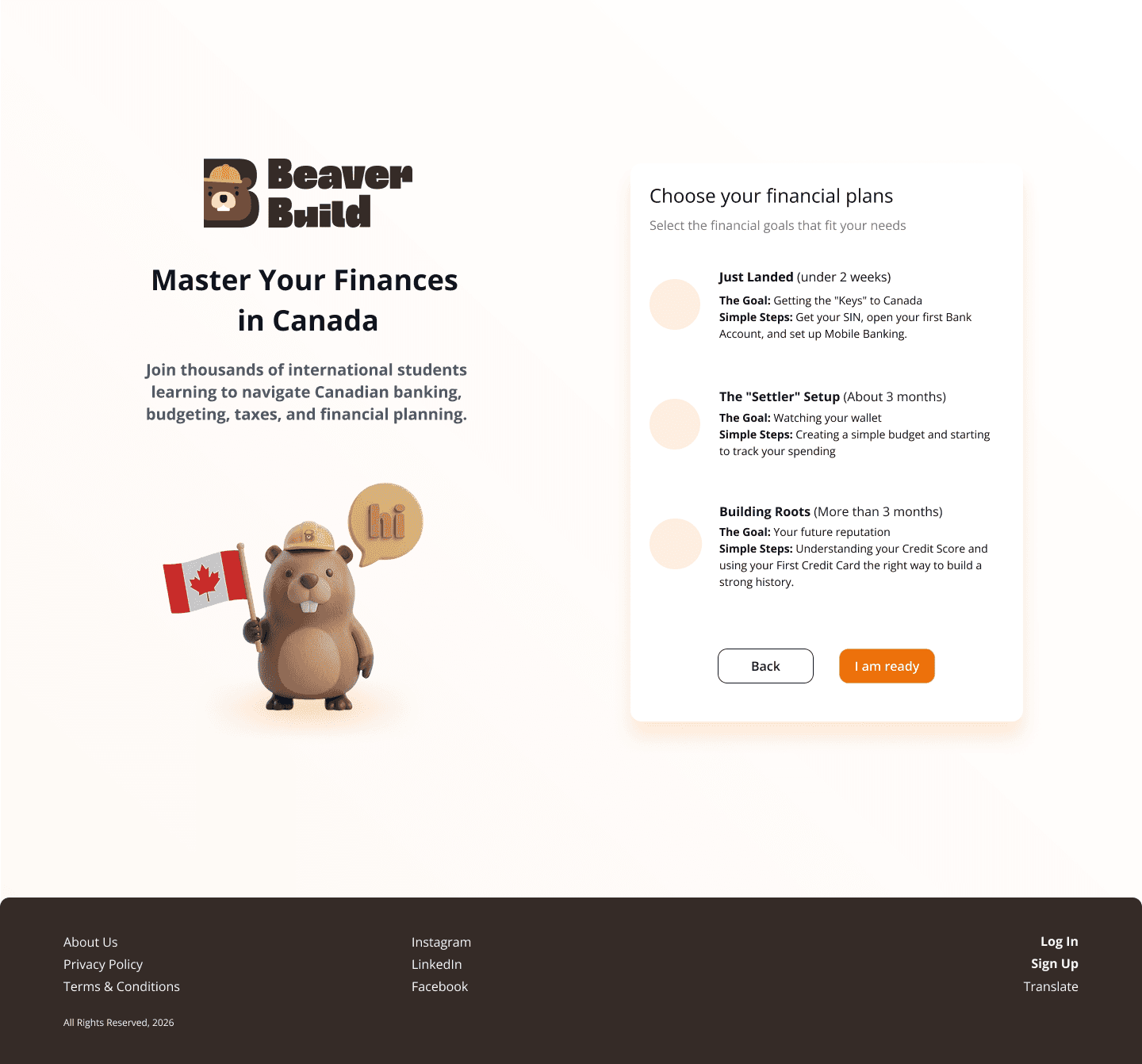
Before
Multiple entry points and unclear stage selection caused hesitation
After
• Simplified entry points
• Added clearer guidance for stage selection
Feature 1 —
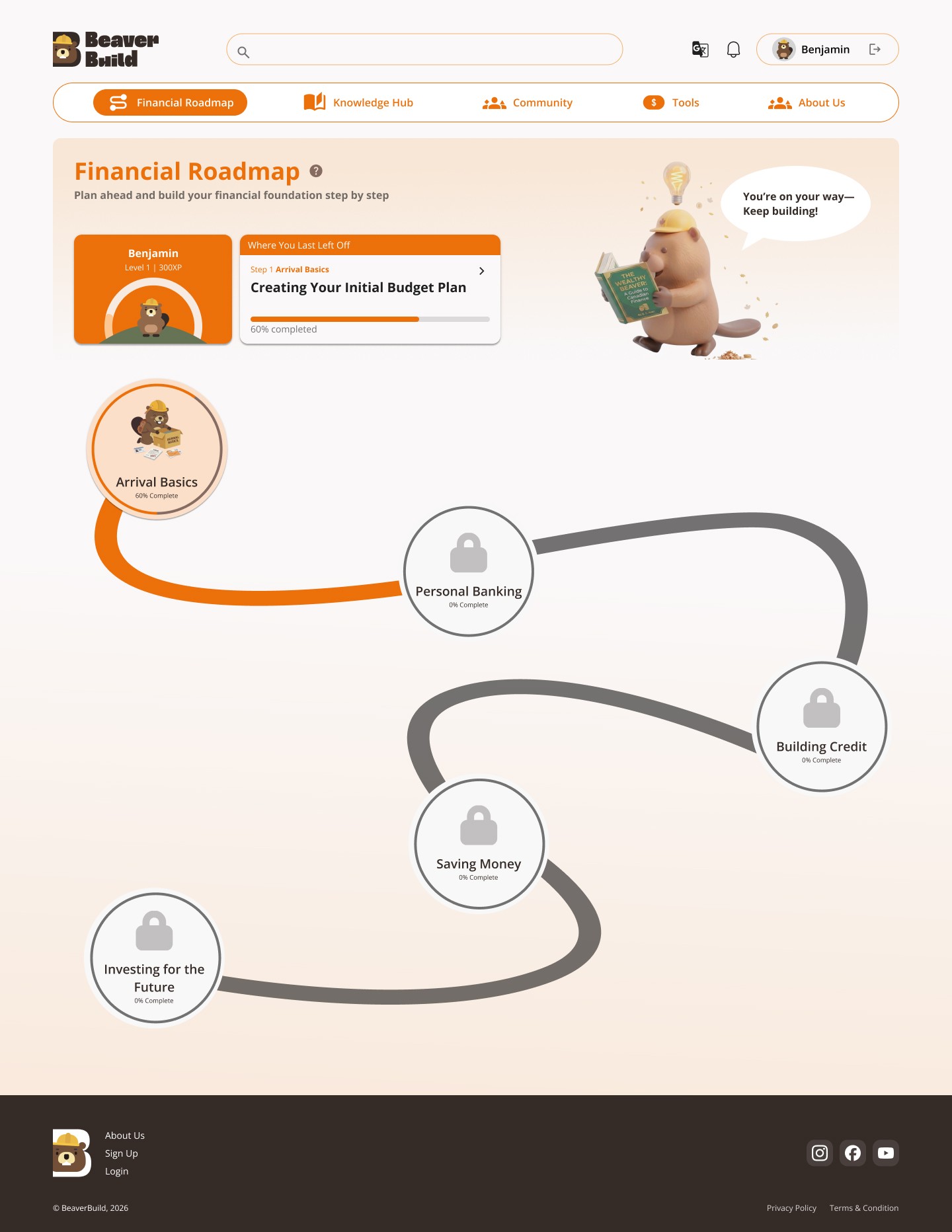
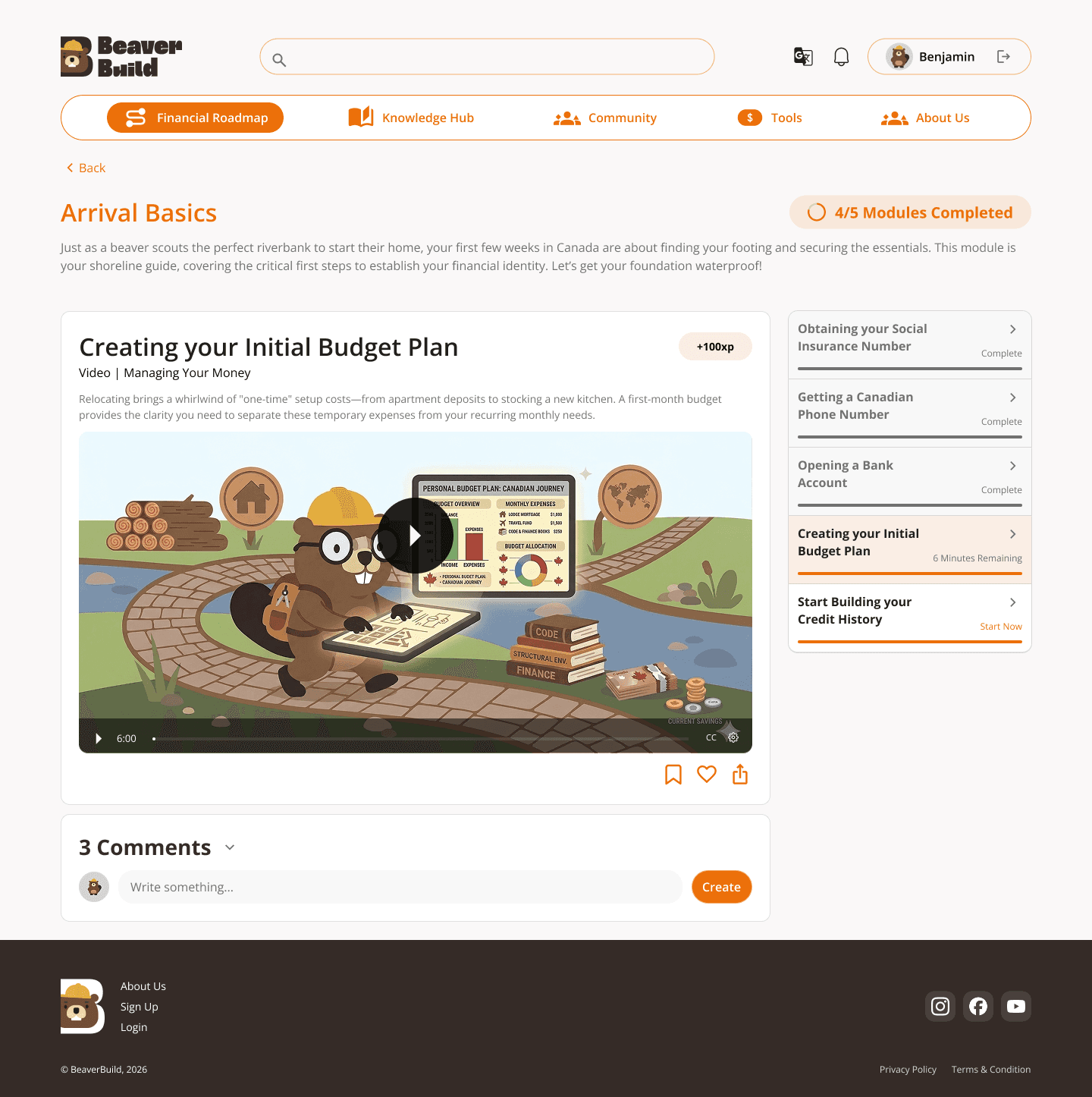
Financial Roadmap
Before
Users lacked context when navigating different sections
After
• Added short descriptions for each section
• Provided clearer guidance before engaging with content
Feature 2 —
Knowledge Hub
Before
Some category labels were unclear
After
• Refined labeling for better clarity and understanding
Feature 3 —
Community
Before
Users were unsure about engagement
After
• Introduced clearer value and purpose of the community
• Highlighted interaction and participation benefits
Feature 4 —
Tools
Before
Tools were useful but lacked follow-up guidance
After
• Added suggestions such as how to use remaining budget
• Enhanced the connection between learning and action

Before
After
Before
After
After
After
After
Before
Before
Before
Overall Experience
• Reduced text density to improve readability
• Improved visual hierarchy for easier navigation
• Integrated more brand elements to create a more engaging and approachable experience
These changes helped transform the experience into something more structured, guided, and easier to understand, especially for users who are new to financial systems in Canada.
Drag to check details
Final Prototype
Beyond the Product
Designing the product was only part of the solution. We also explored how it could realistically reach and engage users in their daily lives.
To create real entry points, we considered:
• QR code campaigns through posters and physical giveaways
• Integration with school platforms such as Blackboard
• Collaboration with student services and campus resources
These approaches help bridge the gap between the product and real-world usage, making it easier for students to discover and adopt the platform.
AI in Workflow
I used AI as a support tool throughout the project, mainly to organize ideas and speed up the process.
For example, I would first define user interview questions and usability testing tasks, then use AI to help turn them into clearer scripts. I also used it to help manage team progress and plan what to focus on in each meeting.
The starting point was always my own thinking, with AI helping me structure and move faster rather than making decisions for me.
What did I learn?
Leadership & Ownership
This project was honestly more intense than I expected.
I was not only leading the direction of the project, but also designing a large part of the experience, building the design system, and making sure the overall quality stayed consistent. Balancing both leadership and execution took a lot more energy than I thought.
There were moments when it felt tiring, and even a bit overwhelming. But at the same time, being involved in everything gave me a much deeper understanding of the product, and helped me see how all the pieces connect together.
Decision Making
I realized that design is always about trade-offs.
With such a tight timeline, it wasn’t realistic to make everything perfect. Instead, I learned to focus on getting the key features right and testing them early.
In many cases, it’s more effective to validate ideas first, because the direction can quickly change based on real user feedback.
Communication
There were definitely moments when I felt frustrated, especially when working with different team members.
But it helped me understand that everyone has different working styles and strengths. I learned to adjust how I communicate, guide discussions more clearly, and support the team in a way that keeps things moving forward.
UX Beyond the Screen
This project also changed how I think about UX.
It’s not just about designing a product, but about how that product actually gets used. Thinking about testing, iteration, and real-world adoption made me realize that design doesn’t stop at the screen.
🙂↕️ Good design is not about making everything perfect.
It’s about knowing what matters, and improving it through real feedback.

🫠🥳
© Jennifer Jiang, 2026